
What is SciENcv?
Science Experts Network Curriculum Vitae, or SciENcv for short, is a profile system that helps researchers on federal research proposals create compliant Biographical Sketches and Current and Pending (Other) Support forms. Anyone who’s going to be a Senior/Key Person on a federal proposal should use SciENcv, including graduate students and postdoctoral scholars preparing fellowship applications. Although setting up your profile and creating your first set of documents requires some extra effort, this system will ultimately save you time and reduce administrative burden.
Getting Started
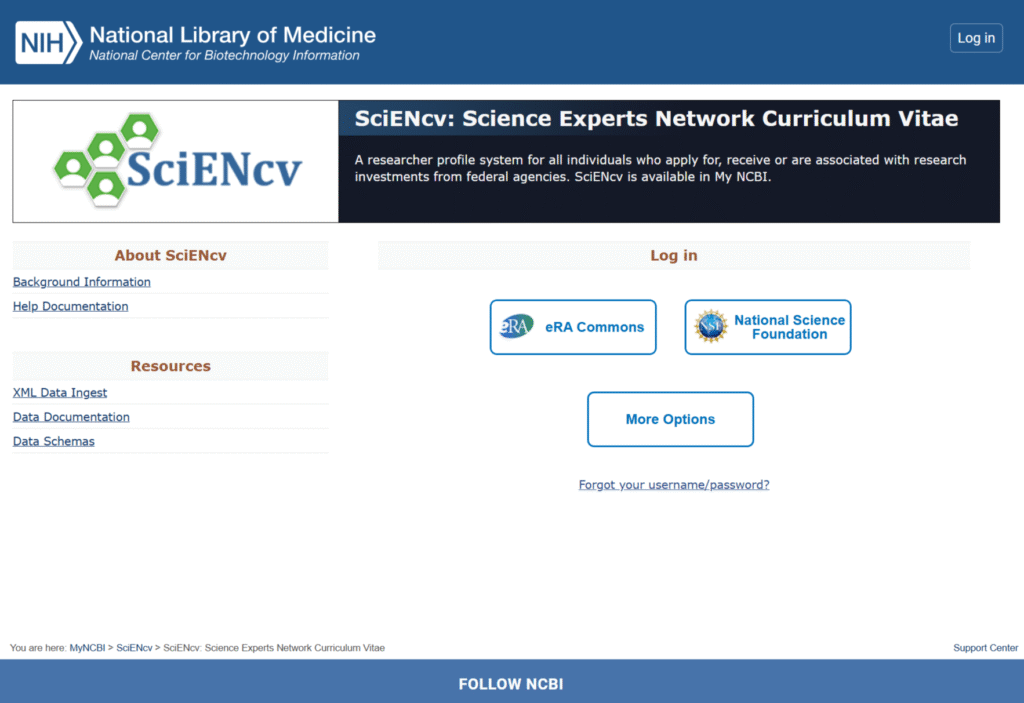
Getting started with SciENcv is easy and doesn’t even require that you create a new account. Simply go to the SciENcv homepage, and log in through one of the listed options. You likely already have an account with one of the third-party systems. If you mostly apply for National Institutes of Health (NIH) funding, we recommend signing in via eRA Commons because doing so will automatically link your eRA Commons account with “My NCBI”. If you mostly apply for National Science Foundation (NSF) funding, sign in via NSF.
After you’re logged in, we recommend that you link your ORCiD account as well because it is needed for Biographical Sketches. Then, consider adding an account delegate if you anticipate asking an administrator to help you create documents. Delegates can create and manage documents on your behalf, but only the account owner (you) can certify them, a step required to download the copy for submission to a sponsor.
Webinar Recording (October 2025)
Frequently Asked Questions
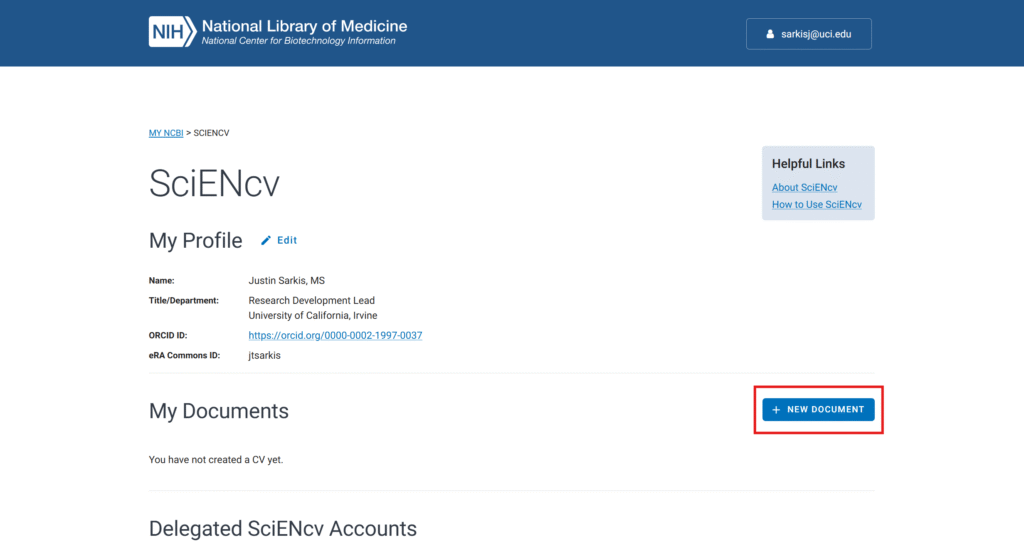
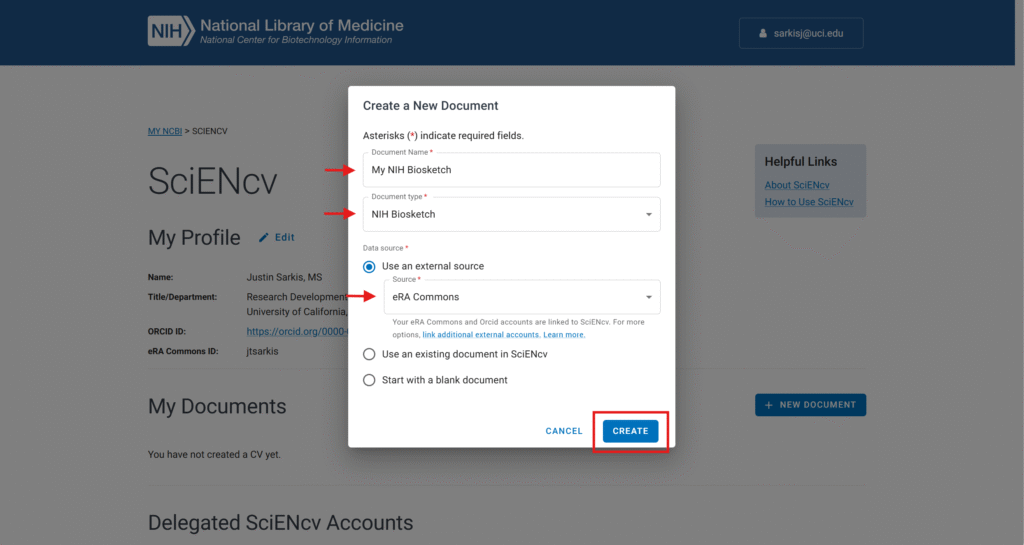
On your user homepage, click the + NEW DOCUMENT button.
Give your document a nickname, such as “My NIH Biosketch”.
Select which type of document you’d like to create. In our example, we’ve selected the NIH Biosketch.
Select if you want to start the document by pulling information from an external source, an existing document in your library, or with a blank document. For NIH applicants, we recommend starting from eRA Commons, as shown in our example. Other applicants may want to start from ORCiD. As you build your library, you’ll be able to start a new document from an existing document, for example, creating an NSF Biosketch from your existing NIH Biosketch.
Note: At this time, there is no way to create a new biosketch by uploading a Word or PDF document. You can, however, create a new Current and Pending (Other) Support document by uploading an XML file.
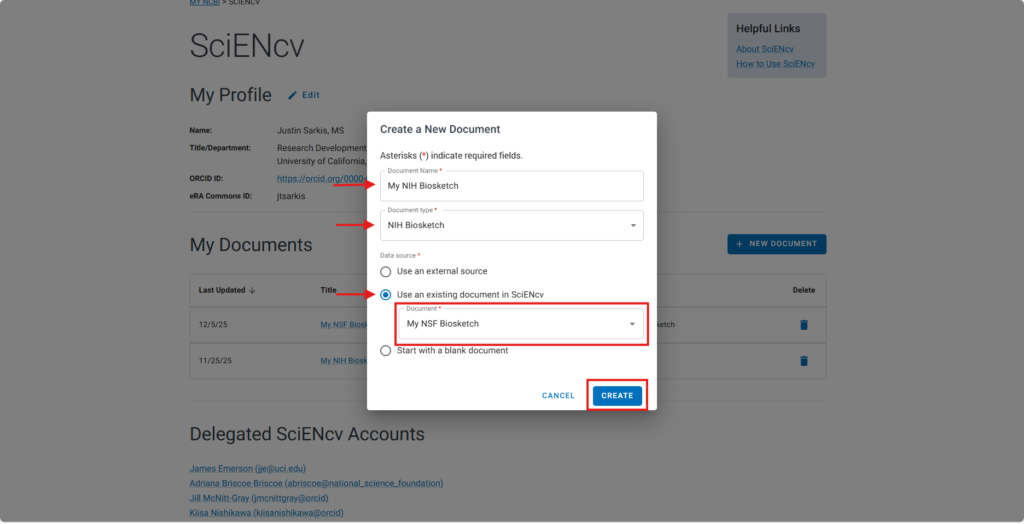
On your user homepage, click the + NEW DOCUMENT button.
Give your document a nickname, such as “My NIH Biosketch”.
Select which type of document you’d like to create. In our example, we’ve selected the “NIH Biosketch“.
Select the radio button for “Use an existing document in SciENcv“. Choose the existing document. In our example, we’ve chosen an NSF Biosketch.
This feature is where SciENcv shines. You can create documents for one agency based on an existing document from another agency (e.g., NSF Biosketch transformed into an NIH Biosketch).
We created a ZotGPT Assistant that will take your uploaded Other Support document in Word (.docx) or PDF and convert it into the correct SciENcv XML structure. You can then paste the Assistant’s output into a plain text file, save that file with a .xml extension (e.g., “My NIH CPOS Form.xml”), and then upload that XML file to SciENcv.
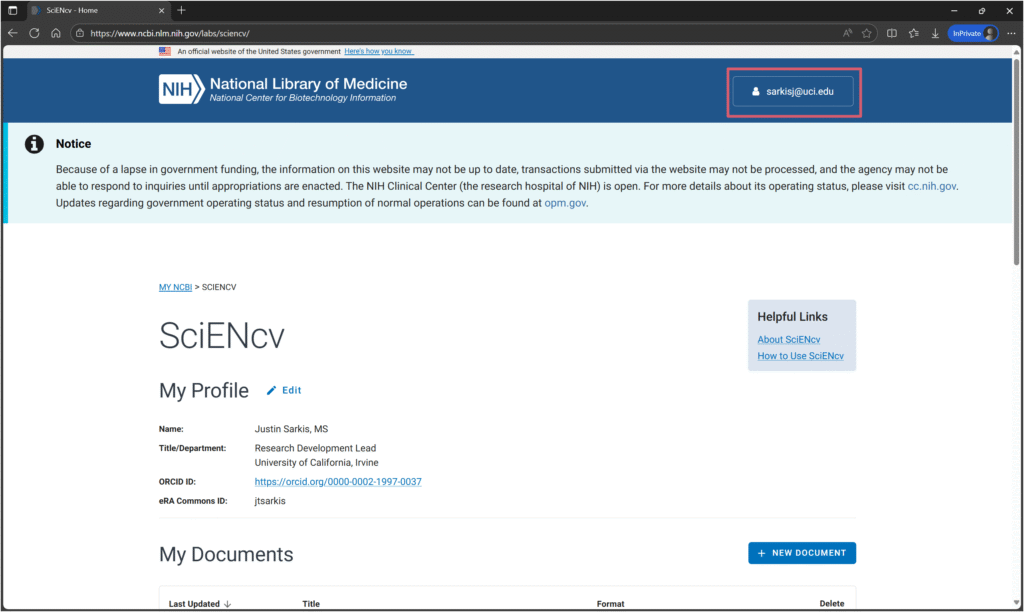
In the upper right-hand corner of your user homepage, click on your username.
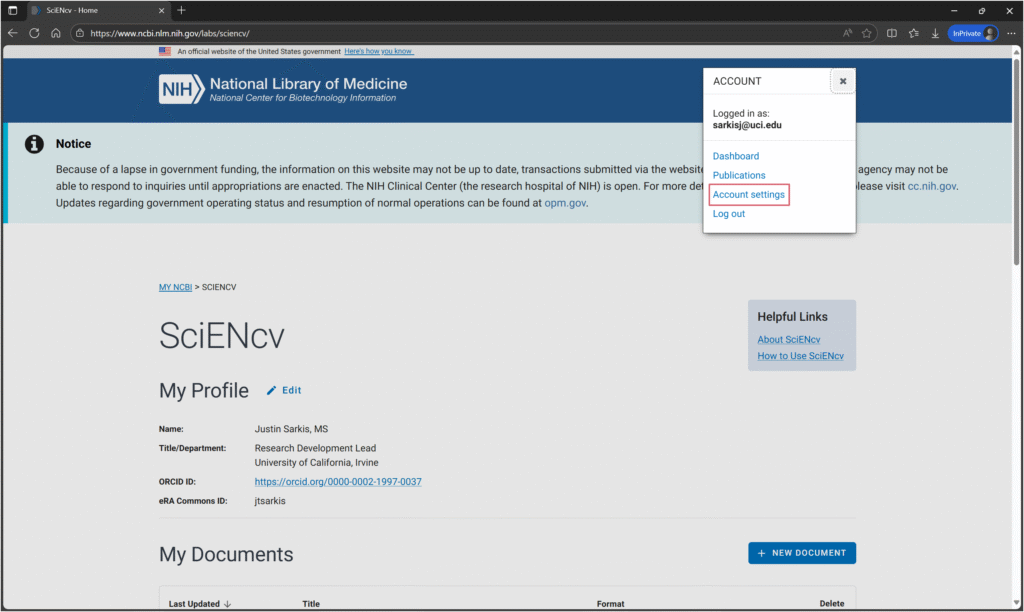
Click on “Account settings”.
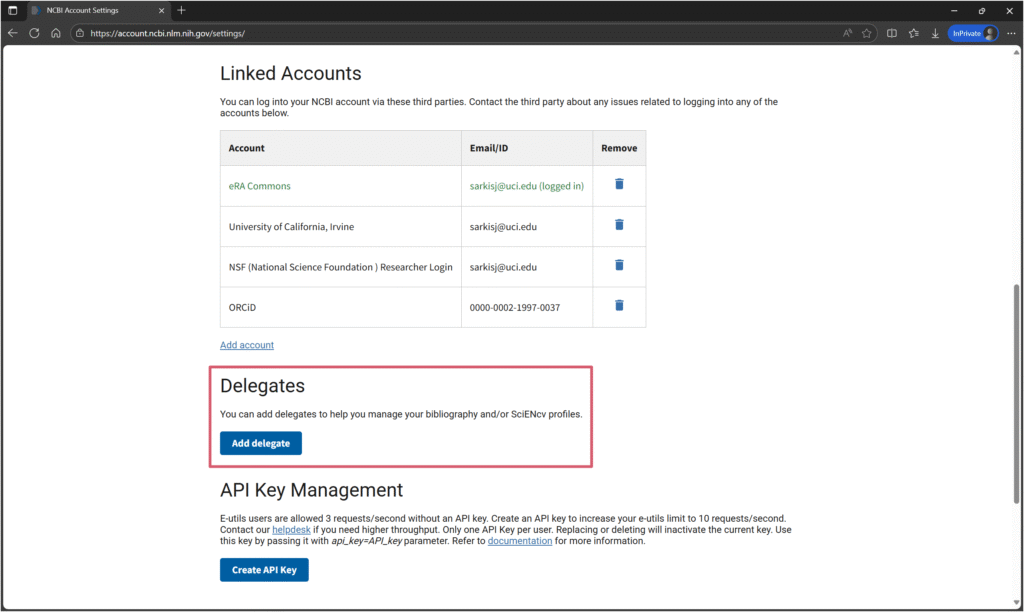
Scroll down to the “Delegates” section. Click on “Add delegate”.
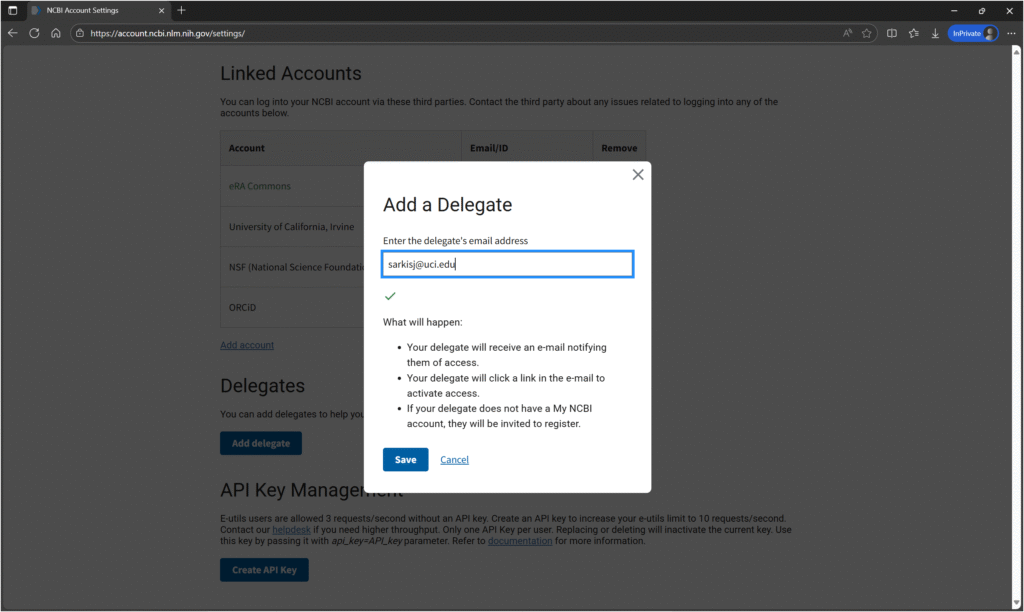
Enter the email address of your delegate and click “Save”. Your delegate will receive an email containing a link for them to click on and confirm your relationship. Delegates can create and manage documents on your behalf. They can also help you manage your NCBI Bibliography. They cannot, however, certify documents on your behalf.
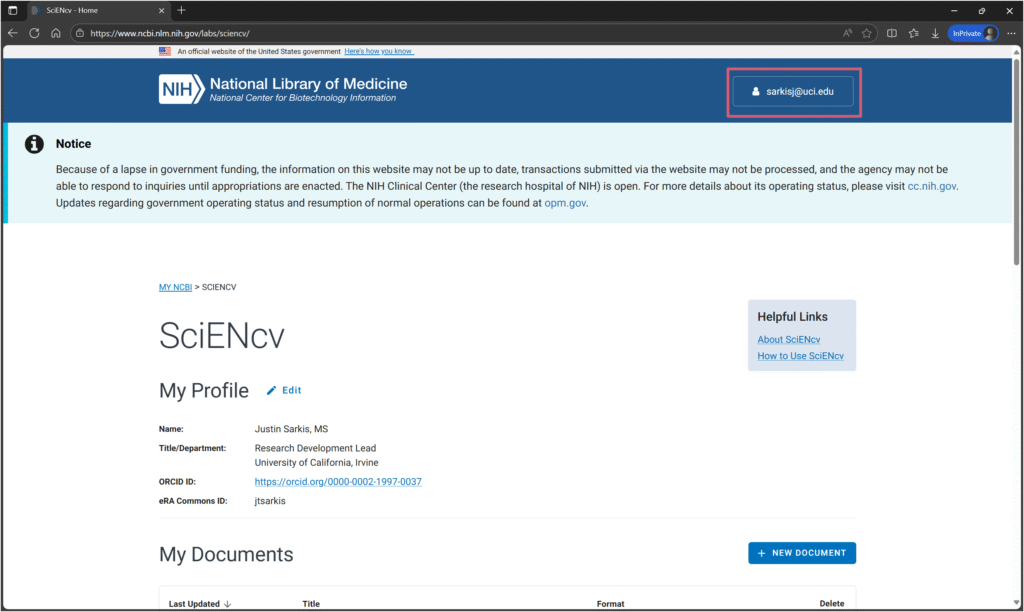
In the upper right-hand corner of your user homepage, click on your username.
Click on “Account settings”.
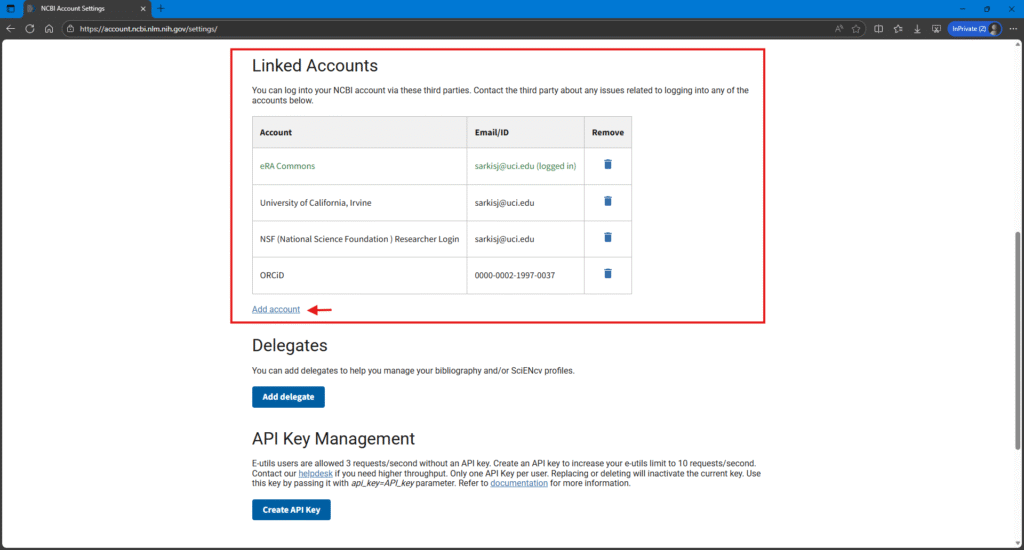
Scroll down to the “Linked Accounts” section.
Add any third-party accounts that you want to connect.
In its current version, SciENcv doesn’t use rich text field boxes on the biosketch Personal Statement and Contributions to Science sections. This means that you can’t just press the “Enter/Return” key to insert a line break or click a bold button to bold text. Instead, SciENcv uses Markdown syntax. It’s possible that SciENcv will allow rich text editing in the future. But for now, we must use Markdown.
In our testing, we’ve noticed some inconsistencies. For example, the Personal Statement text box seems to recognize the “Enter/Return” key and will insert a line break when pressed. However, the Contributions to Science section doesn’t appear to recognize the “Enter/Return” key. Instead, you must end a line with two spaces to return a line.
Other common formatting syntax include using **[text]** to bold and *[text]* to italicize. Please visit NCBI’s Markdown guide for full details.
Need Help?
We provide one-on-one assistance to all Dunlop School researchers. Contact us by clicking on the button below, which will open an email draft in your default mail application.